Traffic reports
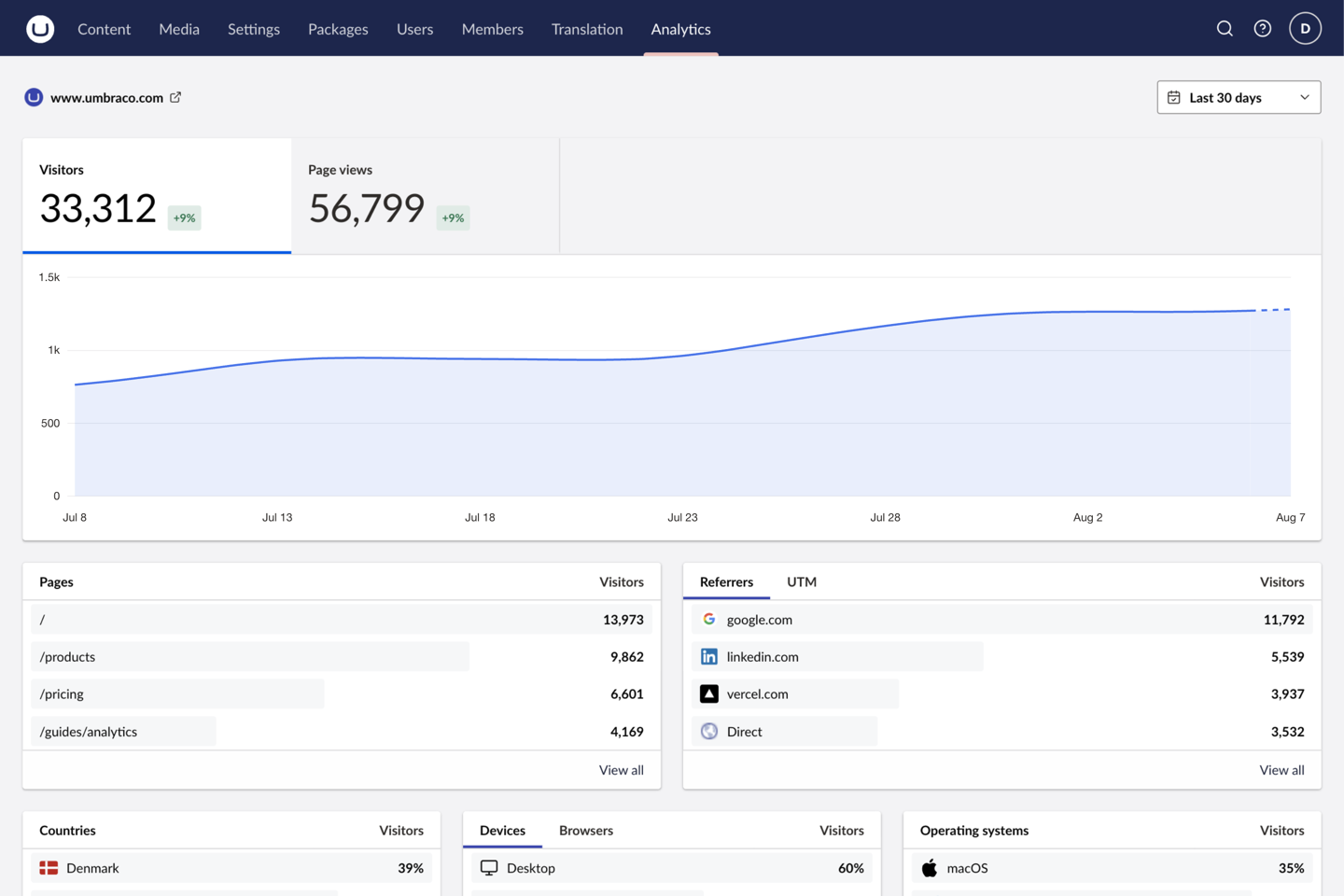
Visitors and page views over time, plus pages, referrers, campaigns, countries, devices, browsers, and operating systems.
 Web Analytics
Web Analytics reads the traffic your site already sends to Vercel or Plausible and reports it in the backoffice. Editors see the site-wide numbers and how the page they're editing is doing, without leaving Umbraco.
dotnet add package TheBuilder.WebAnalyticsSupports Umbraco CMS 17.1 through 18.x
Nothing new on your public site. Web Analytics only reads. Tracking on your site stays exactly as you set it up, and the token never leaves server-side configuration.
Point it at a Vercel project or a Plausible site. Where a provider can't report something, the backoffice hides that panel instead of showing an error.
Connect a Vercel project with a scoped access token. Visitors, page views, pages, campaigns, custom events, and feature flags, with the token never stored in Umbraco.
ReferencePoint at Plausible Cloud or a self-hosted instance with a Stats API key. Adds global event filtering and custom event properties on top of the core reports.
ReferenceOne dashboard per connection, and the same reports again on any document you map.
Visitors and page views over time, plus pages, referrers, campaigns, countries, devices, browsers, and operating systems.
An Analytics view inside a published document's workspace, filtered to that document's route. Toggle child paths to cover the whole section.
Each metric shows how it moved against the period before it. Turn any breakdown row into a filter across the whole dashboard.
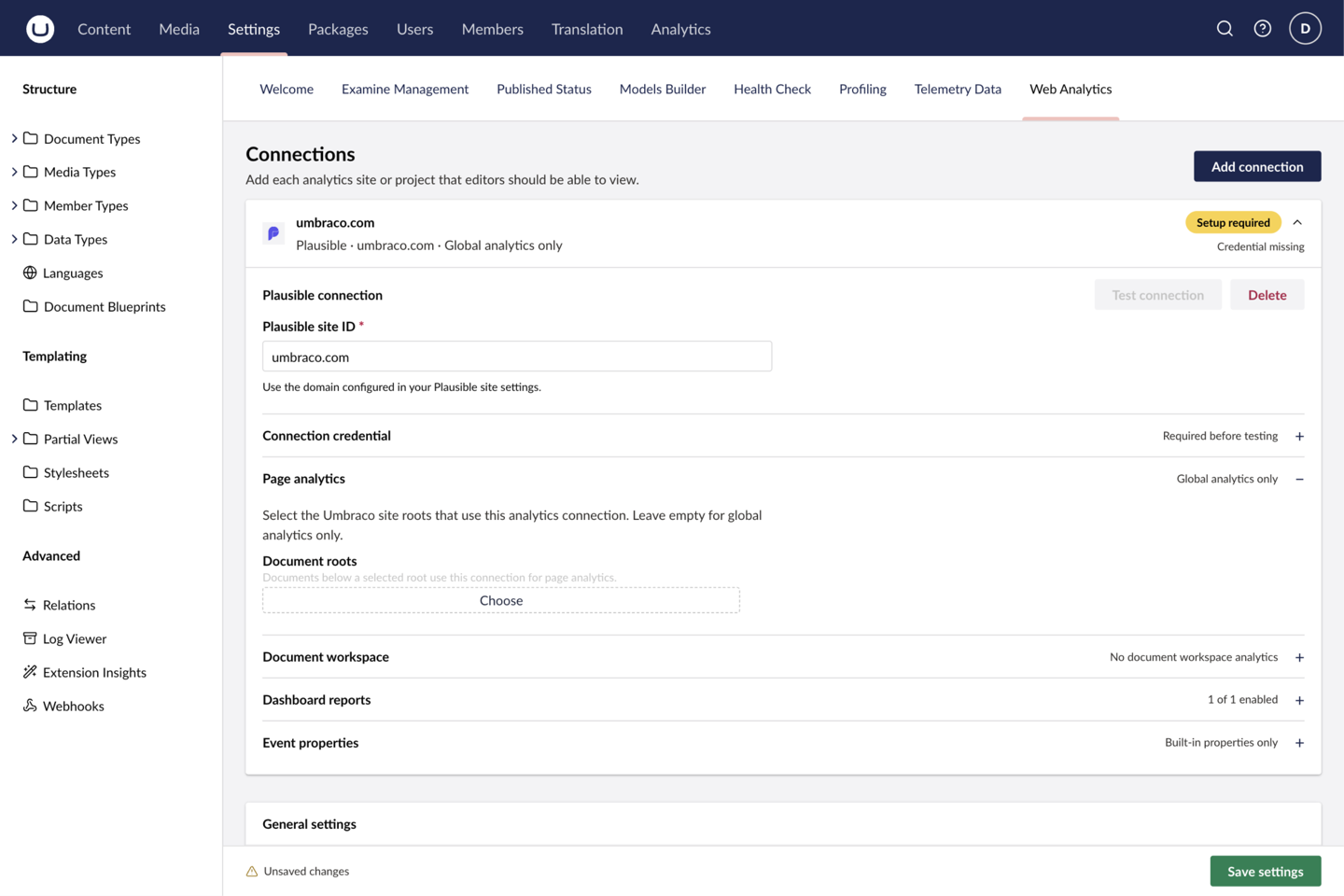
Connect several Vercel projects and Plausible sites to one Umbraco installation and switch between them.
Tokens live in server-side configuration. They are never written to Umbraco and never sent to the browser.
Reads the data your provider already collects. It never installs, replaces, or configures tracking on your public site.
Map a document root and every published document below it gains an Analytics workspace, filtered to its own route. It follows Umbraco's Content permissions, so an editor who can browse a page can read its numbers without access to the global Analytics section.
Read the guide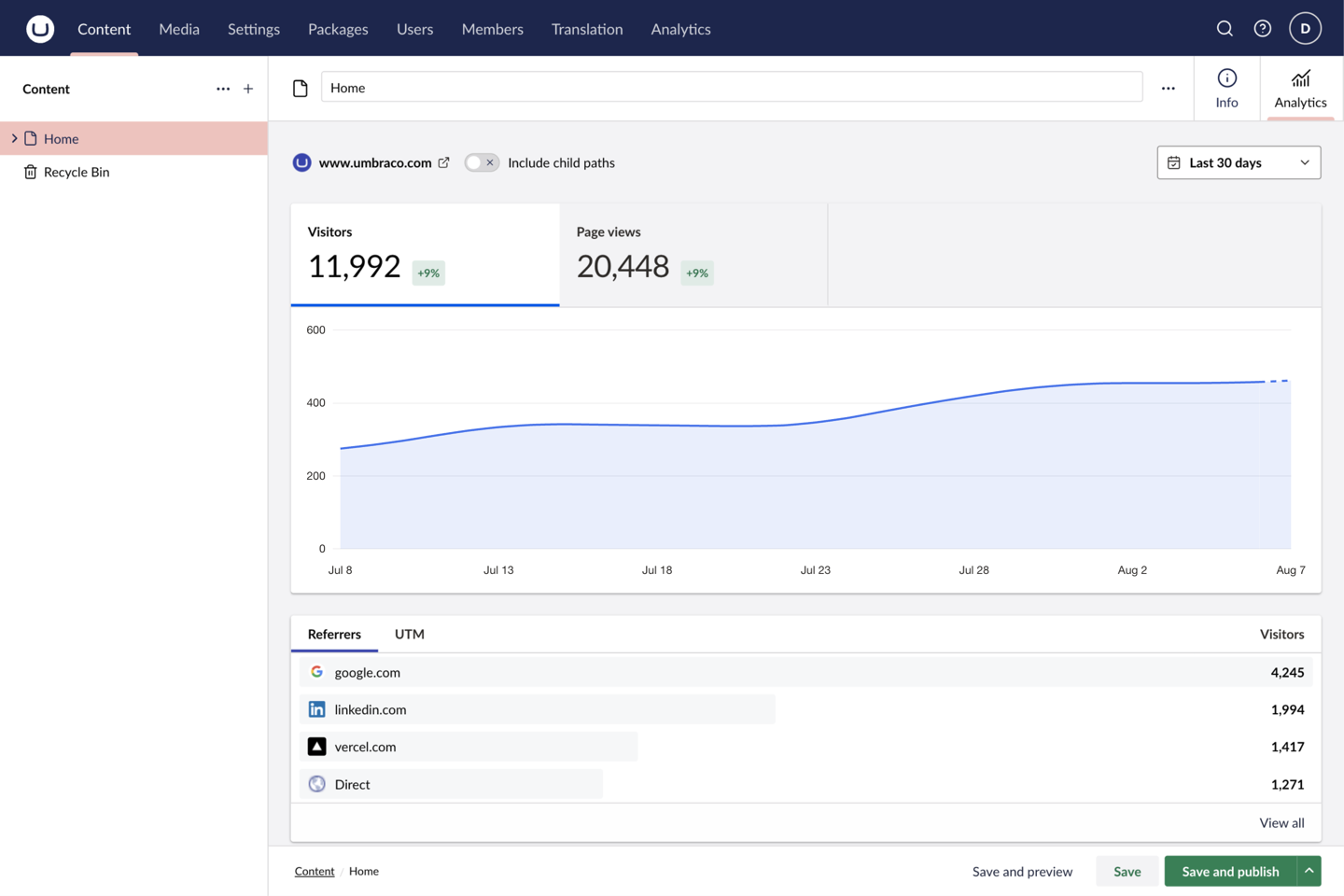
All three steps, and what to check afterwards, are on the quickstart page.
Add TheBuilder.WebAnalytics to your Umbraco web project. Services and backoffice extensions register automatically.
Store a read-only Vercel or Plausible credential in server-side secret configuration.
Add a connection at Settings → Web Analytics, run Test connection, and open the Analytics dashboard.
Install the package, point it at your Vercel project or Plausible site, and editors get their traffic reports without a second login.
Focused packages for modern Umbraco projects.