Document analytics
Map document roots and types to show reports filtered to the selected published route. Document reports do not require global Analytics-section access.
Document mappings are optional. An unmapped connection still appears in the global Analytics section; it just does not add a report to any document. Document reports do not require access to the global Analytics section.
Map an Umbraco site root
For each site that needs page-level reports, pick the root document in the connection’s Page analytics settings. A document uses the connections mapped to its nearest mapped ancestor, not every mapped ancestor above it. Its report covers that document’s published route.
Then either enable every document type below that root, or pick the specific types that should show the Analytics workspace view.
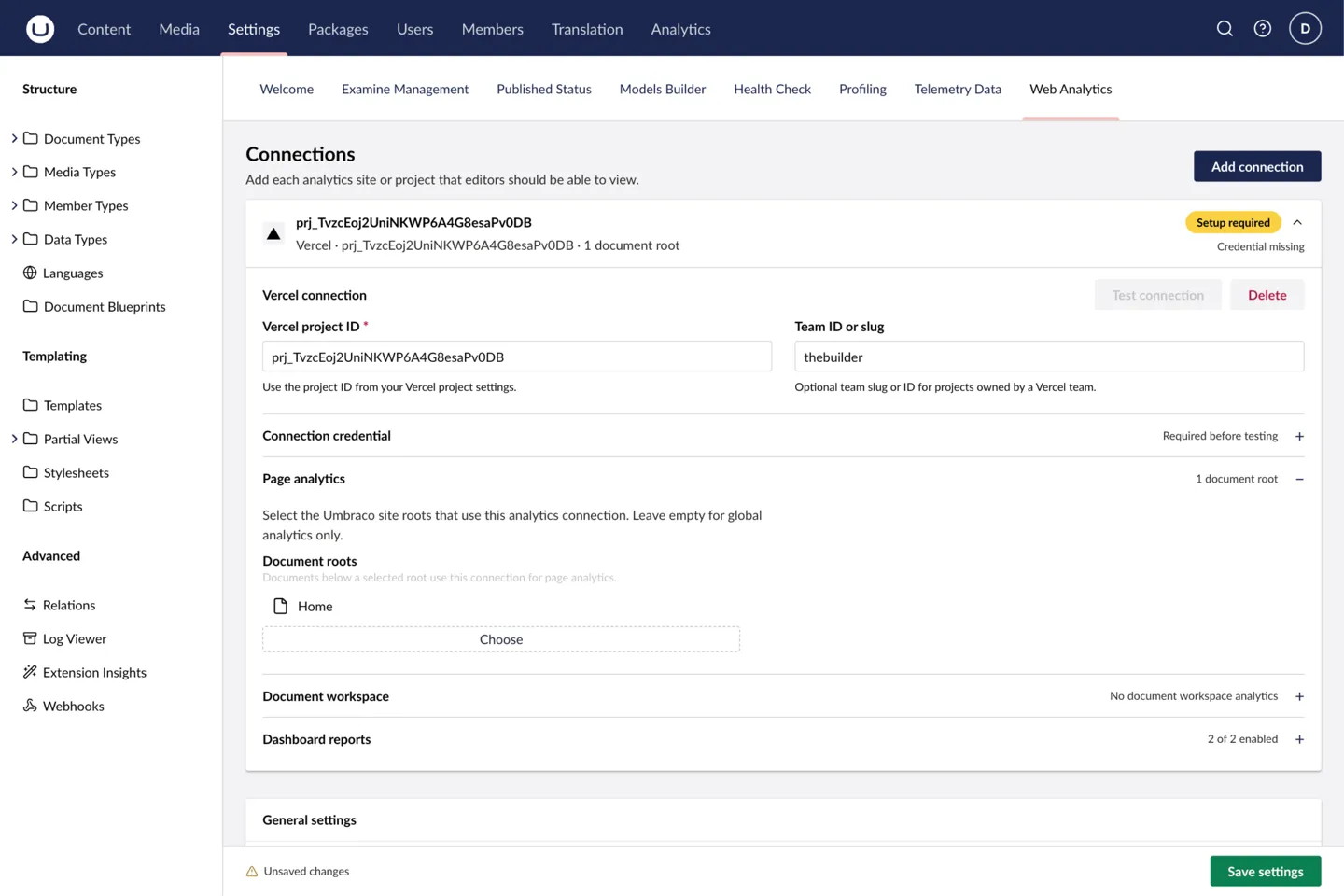
More than one connection can map to the same root, which is what you want when a site reports to both Vercel and Plausible. The workspace then shows a provider selector. The browser remembers that choice per mapped root, so picking a provider for one site leaves the other sites alone.
Choose the path scope
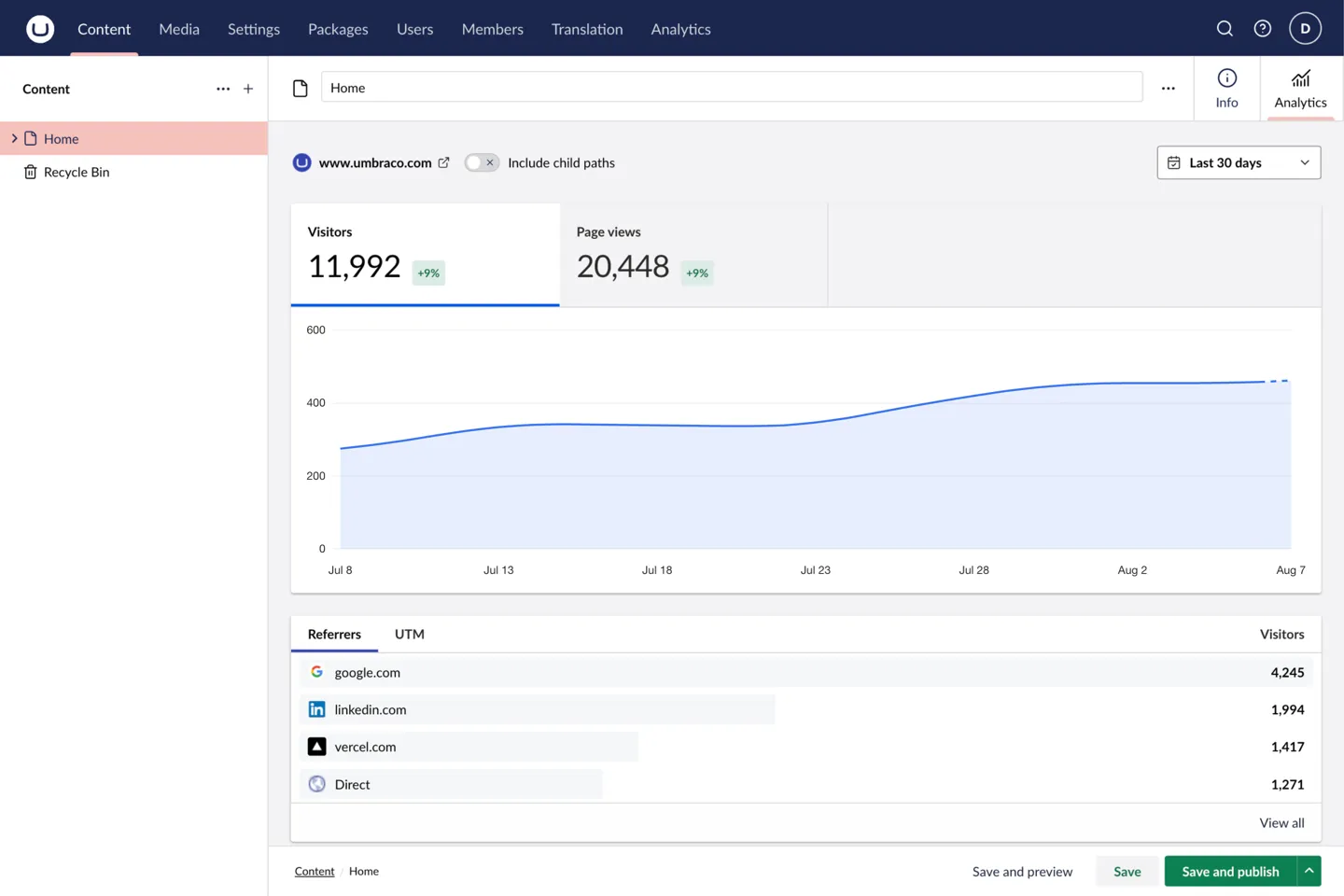
A document report starts at that document’s own path. Enable Include child paths in the workspace header to take in everything below it too, which is what a section or landing page usually needs. Leave it off to look at the single page.
When the workspace appears
A document shows its Analytics workspace view only when all of this is true:
- It is published and has a published route.
- Its nearest mapped ancestor resolves to at least one connection. A mapped root further up the tree does not count.
- Its document type is enabled for at least one of those connections.
- The current user can reach the Content section and browse that document.
An editor can then inspect the page they are working on without hunting for it in a global report.
Multi-site example
Take one Umbraco installation with two site roots:
| Root document | Connection | Result |
|---|---|---|
Brand A |
Vercel project A | Documents below Brand A report against project A. |
Brand B |
Plausible site B | Documents below Brand B report against site B. |
If a nested root is mapped too, it wins for documents below it because it is the nearest mapped ancestor.
You can also map both a Vercel project and a Plausible site to Brand A. Editors then pick the provider they want from the document workspace header.
Permissions
Global and document access are separate on purpose:
| User | Global Analytics | Document Analytics | Settings |
|---|---|---|---|
| Administrator | Yes | Yes, where mapped | Yes |
| Analytics-section user | Yes | Only with Content access and document browse permission | No |
| Editor with Content access and document browse permission | No | Yes, where mapped and published | No |
So an editor can read analytics for a document they can browse without being granted global site reporting.
Troubleshoot a missing workspace
Check publication and route state first, then the nearest root mapping and the document-type setting. If the workspace still does not appear, check Content-section access and browse permission for that document. Troubleshooting has the full symptom checklist.